
Reading rooms
A reading room is a set of articles people read together. It shows who is reading along and how many people have read each piece, so a list feels less like a queue and more like a room with people in it.
Where rooms come from
Section titled “Where rooms come from”A room is a public Semble or Margin collection. Any collection in either app can be opened as a room. You can also start a room from Skyreader, which creates the collection for you.
Rooms in the sidebar lists the rooms you’ve joined, the rooms people you follow on Bluesky are reading in, and a few featured rooms.
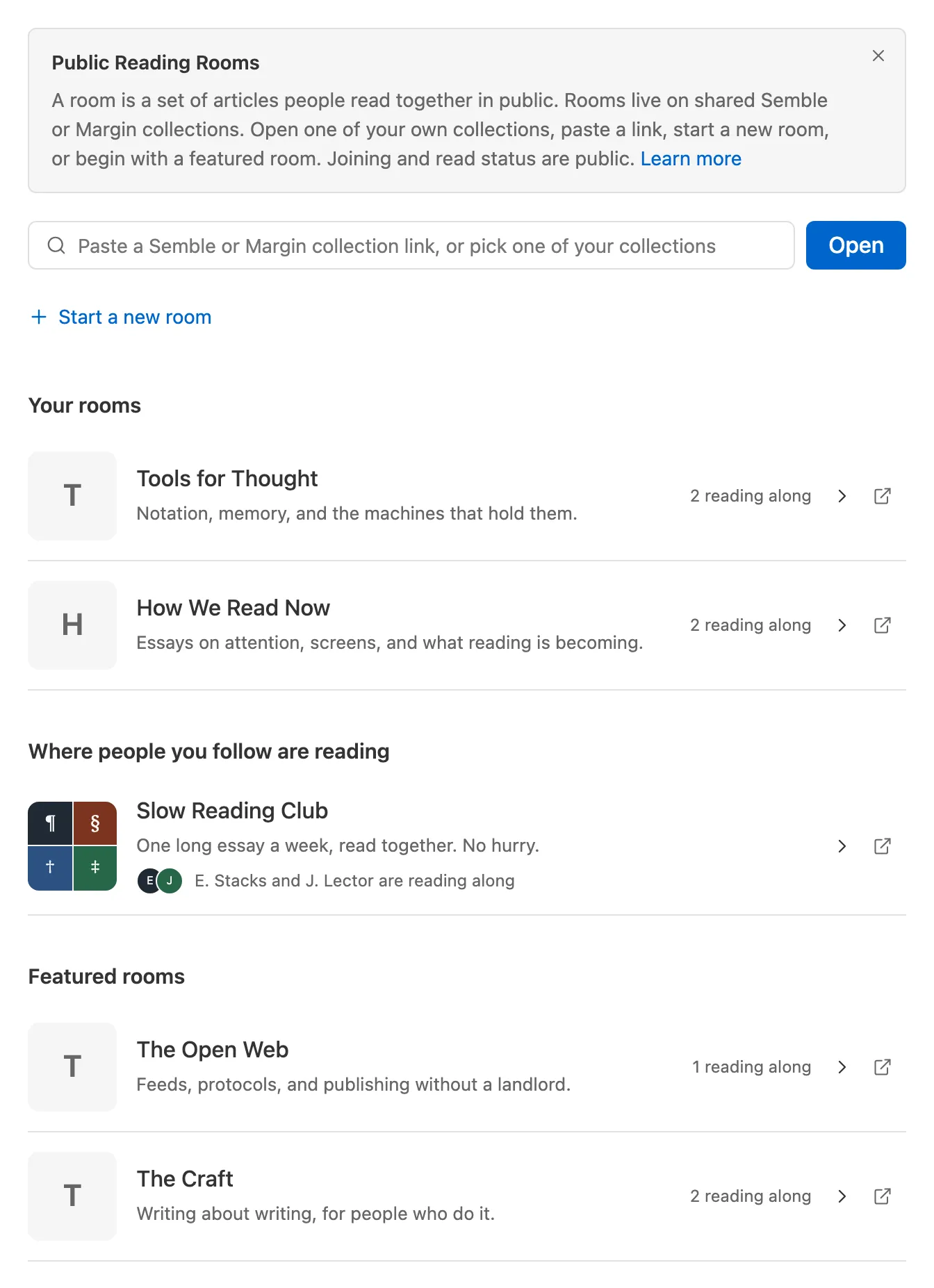
To open any other room, paste a room link, or a Semble or Margin collection link, into the box at the top, or click into the box and pick one of your own collections.
Rooms need a Skyreader account. A room link opened while signed out asks you to sign in first, then takes you to the room.
Starting a room
Section titled “Starting a room”Start a new room creates a semble or margin collection in your own repo. Give it a name and an optional description.
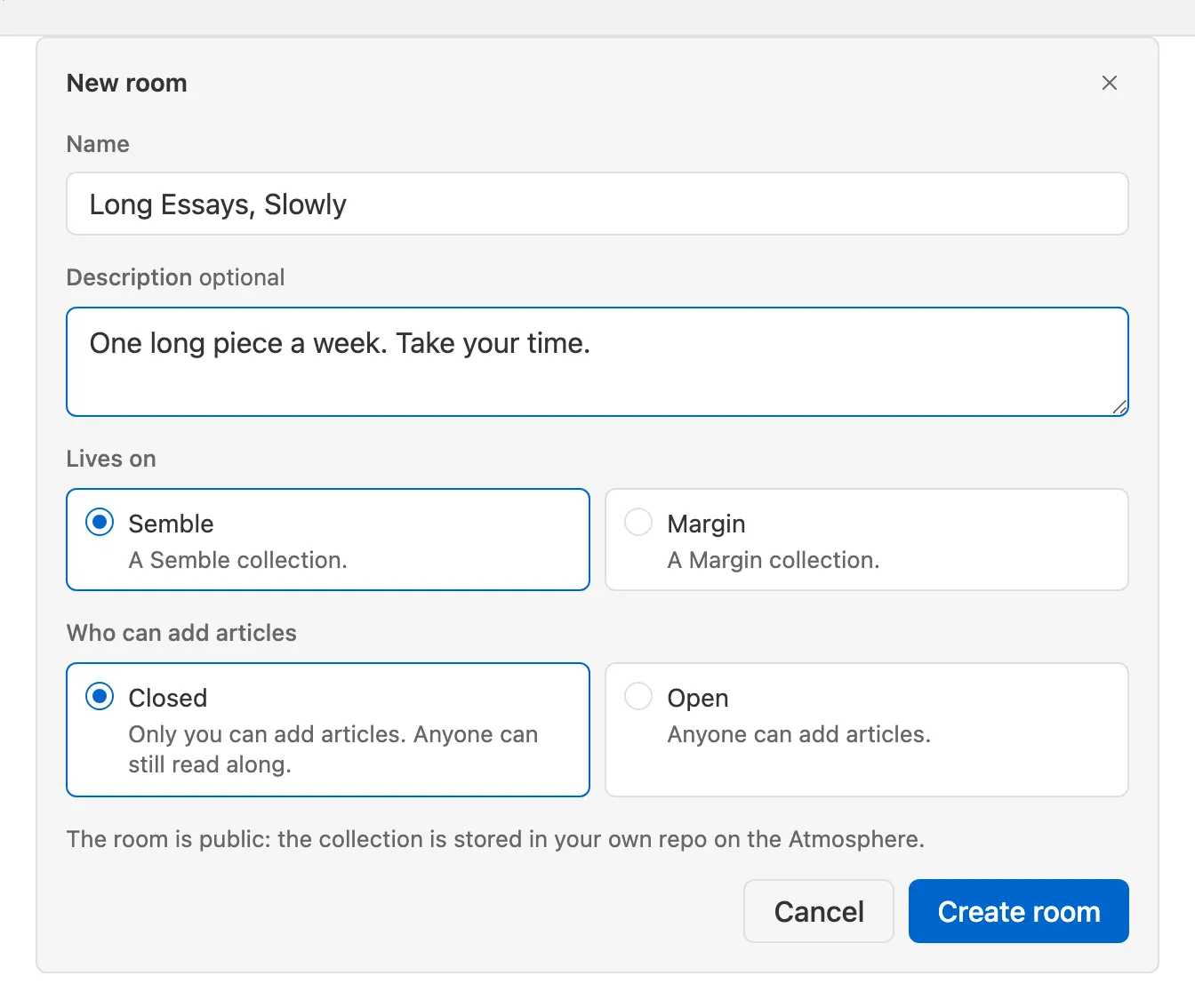
A Semble room can be closed or open. Closed means only you can add the articles. Open means anyone can add new articles. Either way, anyone can read along. A Margin room is always closed, because Margin collections have no open setting.
Joining
Section titled “Joining”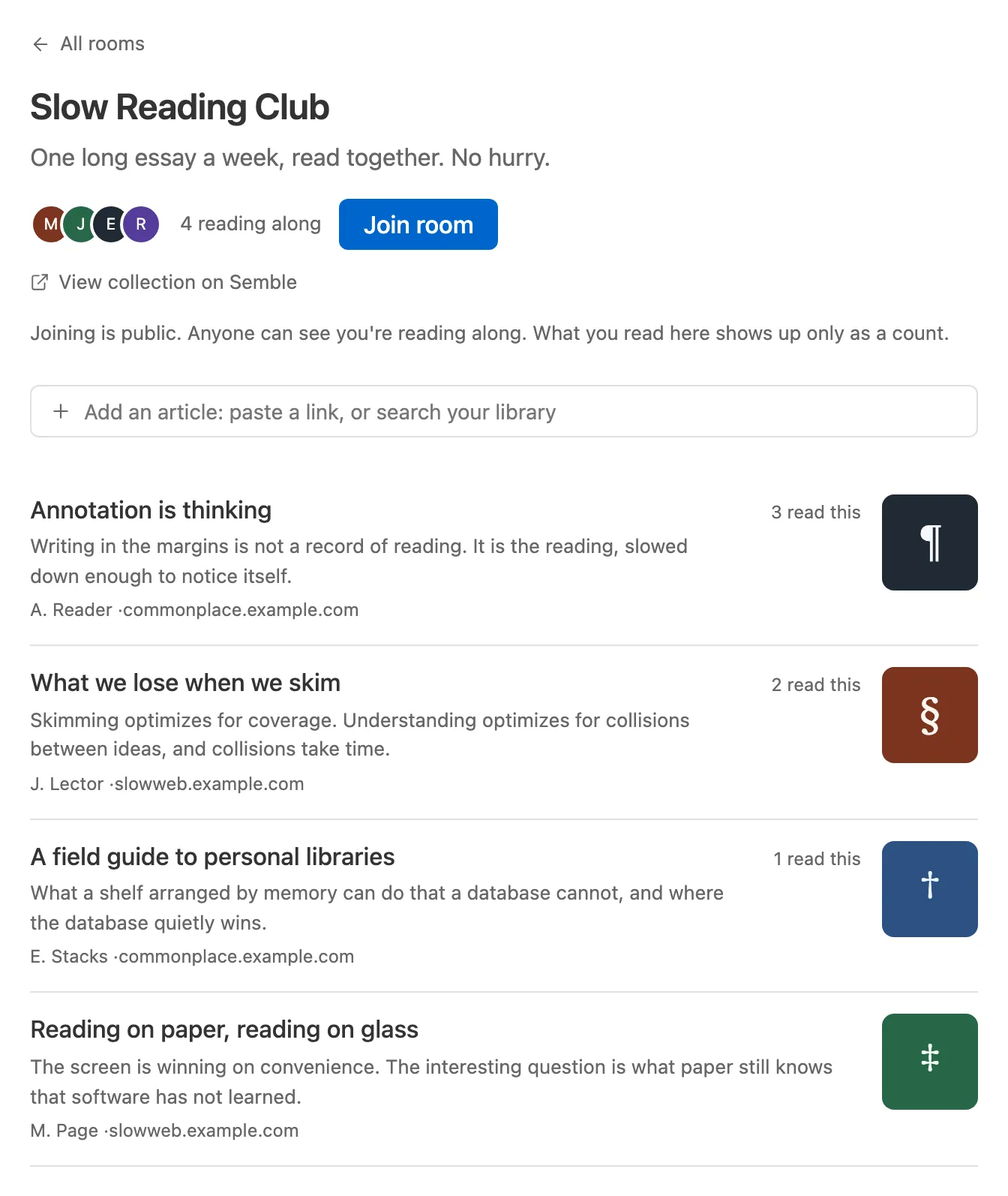
Join room on a room page adds you to the people reading along. Joining is public: it writes a record to your PDS, so anyone can see you’re reading along, in Skyreader or in any Atmospheric app. Leave room deletes that record.
Joining is what puts your avatar on the room page and adds the room to Home as its own lane. Someone who follows you will also see the room under Where people you follow are reading on their Rooms page.
Reading in a room
Section titled “Reading in a room”Open an article from the room to read it like any other article. When you finish, Mark as read at the end of the article will share your read status with everyone. If Skyreader can’t fetch an article, it opens with a link to the page instead.
Adding articles
Section titled “Adding articles”If the collection allows it, the room carries an add box above its list: paste a link, or search your Saved library as you type. Who may add is the collection’s own rule. An open Semble collection takes additions from anyone; a closed one from its owner and collaborators; a Margin collection from its owner only.
An article you add here shows up right away. One added in Semble or Margin directly shows up in the room within about a minute of the next open.
What’s public
Section titled “What’s public”- Joining is public, to the whole Atmosphere.
- Articles you add are public records in your PDS.
- What you read in a room shows up only as an anonymous count inside Skyreader.
Rooms don’t change anything else: your read state, saves, and highlights stay private as described in Your data.